

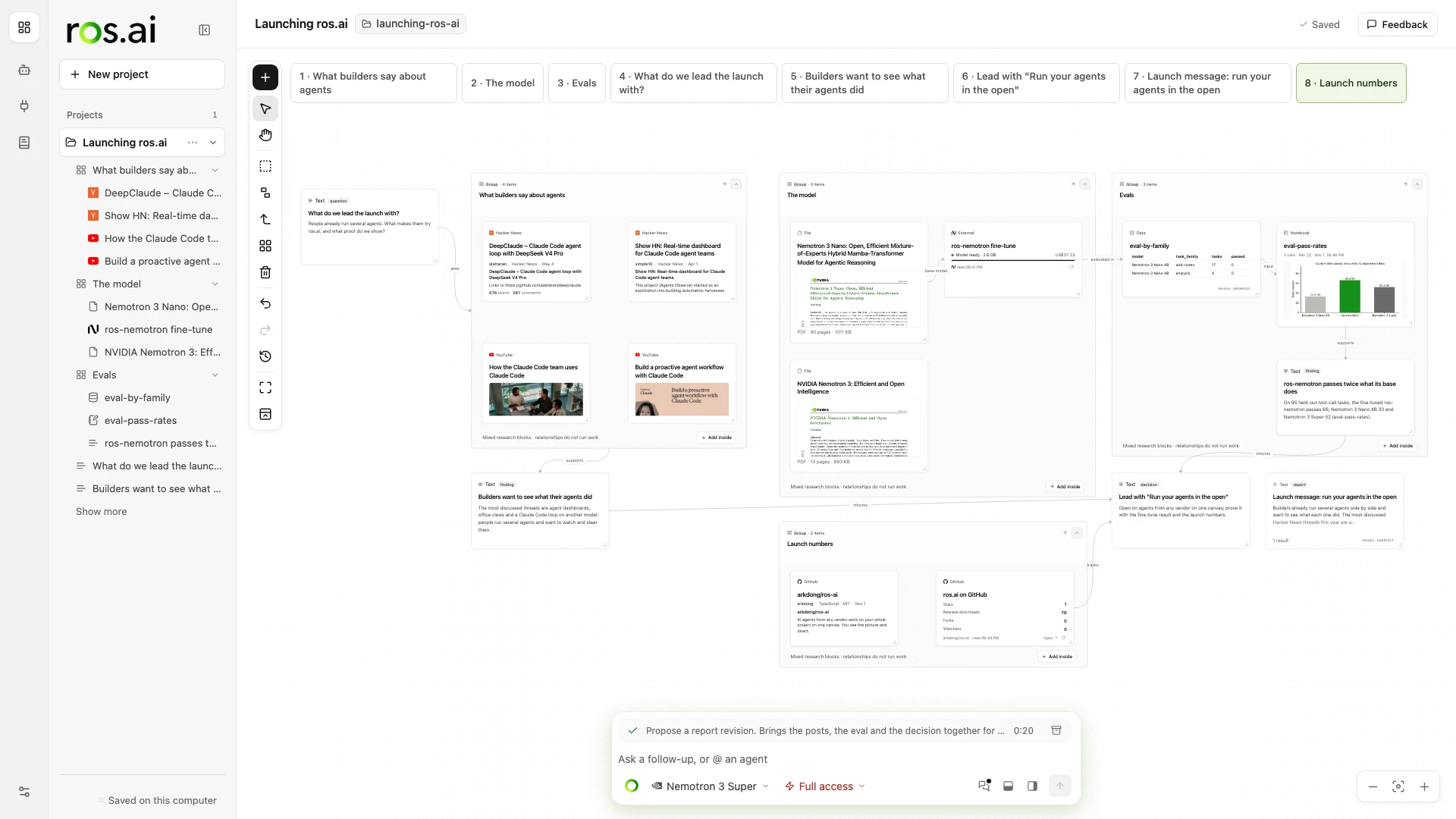
ros.ai is an open workspace that holds your whole project’s context on one canvas. AI agents from any vendor work from it, and you see the whole picture, make the connections and direct them there. It runs on your own computer, and the code is MIT.
See the workspace in motion
The 56-second launch film introduces the shared canvas, shows agents proposing changes, and follows their work back to its sources. It uses English on-screen text.
The idea
When several agents work on one project, each has its own chat and its own idea of the context. The person in the middle carries everything between them. ros.ai puts the context in one place instead:
- Blocks. Notes, code, data, files, papers and Notion pages sit on the canvas as blocks. A project is a folder of plain files (Markdown,
.py,.ipynb, CSV), so Obsidian, VS Code and Jupyter open it too. - Any agent. Claude Code, Codex, Gemini CLI, Goose, OpenCode, local models and ROS, the workspace’s own agent, all work from the same blocks with the same tools, plugins and permissions.
- Work lands in the open. What an agent produces comes back to the canvas with its sources. Every block an agent made says so, and every change can be undone.
- You set the permissions. Each project asks every time, approves plain analysis for you, or gives full access. A write to an outside app always asks.
ROS, the built-in agent
ROS is ros.ai’s own agent: NVIDIA Nemotron 3 in ros.ai’s agent loop, with the canvas as its tools. It reads the canvas, proposes blocks and Python, searches the web in several directions, reads the pages, and writes findings with checked quotes.
It comes in two forms. Hosted ROS runs on Nebius Token Factory. ROS on this computer is a model I fine-tuned, ros-nemotron, so the workspace also works offline.
Fine-tuning ros-nemotron
The local model is NVIDIA Nemotron 3 Nano 4B, fine-tuned with LoRA to behave as ROS inside the app:
- Data from the real loop. Every training sample is a real ros.ai agent turn, run through the app’s own tool loop with its real validation and quote checks. A larger teacher model (Nemotron 3 Super) plays the agent, and only its best turns are kept: about 3,000 of them.
- Training. LoRA with rank 32 on the attention, MLP and Mamba projection layers, for two epochs on one H100, using PyTorch, Hugging Face Transformers and PEFT.
- Evaluation on unseen work. The held-out set is ten projects in domains the training data never sees, plus ten weather-data tasks. The evaluation runs the app’s real agent loop.
- Result. On 95 held-out tasks the fine-tuned model passes 68, against 33 for the base model. A second fine-tuning round also improves grouping: group F1 rises from 0.06 to 0.93 compared with the first-round model.
- Shipping. The model is quantized to GGUF (Q4_K_M) and runs with llama.cpp inside the Mac and Windows desktop apps. It is about 3 GB.
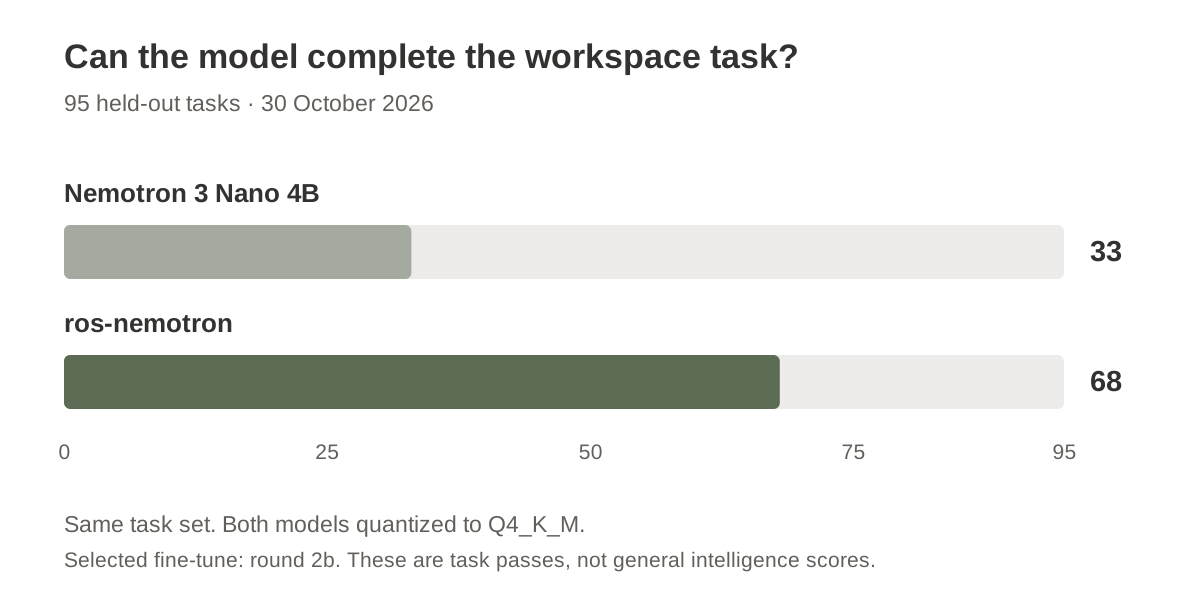
The training and evaluation notes describe the task sets and the two fine-tuning rounds. Grouping improved much more than link prediction, which remains a weak point.
How it is built
The workspace is a TypeScript server and a web canvas, wrapped in an Electron shell for the Mac and Windows apps. Code and Notebook blocks run in a sandboxed Python on your computer. Other tools reach the canvas through ros.ai’s MCP server, so an agent you already use can be linked with one command.
The app, the guide and the downloads are at ros-ai.io.